

Procurement teams often start their search with a single question — “which system is best?” — but that’s the wrong first question. The right one is: what will this system need to survive, day after day, in your venue? A checklist built around your actual operating conditions will save far more money than chasing the lowest unit price.
Here’s what to work through before you request a quote.
1. Match the Frequency Band to Your Environment
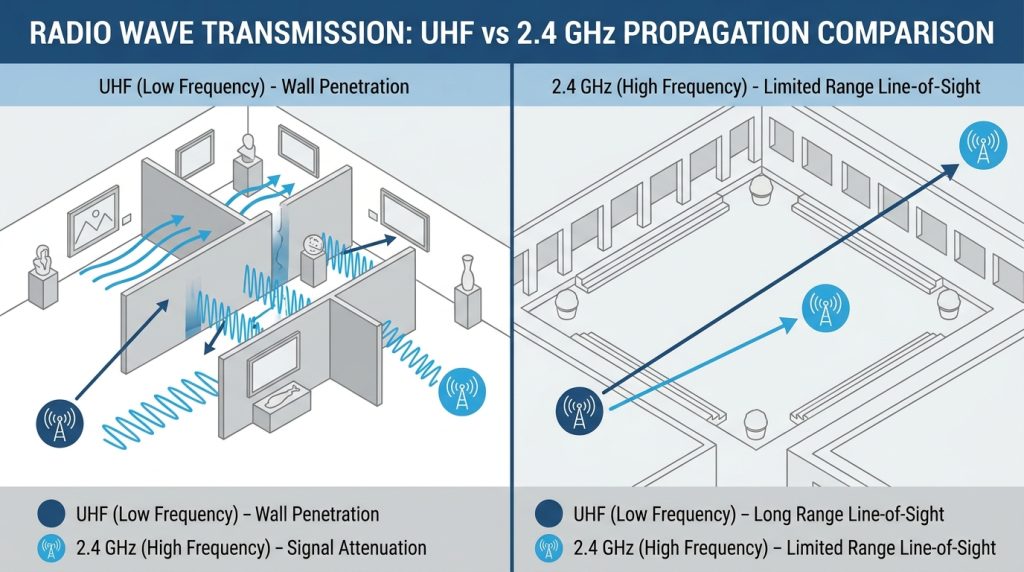
Wireless tour guide systems typically run on either UHF or 2.4GHz bands, and the choice isn’t cosmetic — it affects how the system behaves in the exact spaces you’ll be using it.
- UHF systems tend to handle multi-room, multi-floor venues well, since the signal has good wall-penetration characteristics — a common need in museums with segmented galleries.
- 2.4GHz systems are often chosen for outdoor or open-air tours where longer line-of-sight range matters more than penetrating walls.
Ask your supplier directly which band their system uses and why they recommend it for your venue type — a manufacturer who can explain the trade-off, rather than just quoting a range number, is a good sign.
2. Confirm Real-World Transmission Range — Not Just the Spec Sheet Number
Every spec sheet lists a maximum range, usually measured in open, obstacle-free conditions. That number rarely holds up inside a stone cathedral, a steel-frame factory, or a crowded exhibition hall.
Ask your supplier two follow-up questions:
- What range do you guarantee in an enclosed, multi-wall environment (not open field)?
- Do you have deployment references in venues similar to mine?
A supplier with real installation history — churches, museums, factory floors — can answer this with specifics instead of a single marketing figure.
3. Calculate Group Size and Receiver Count Together
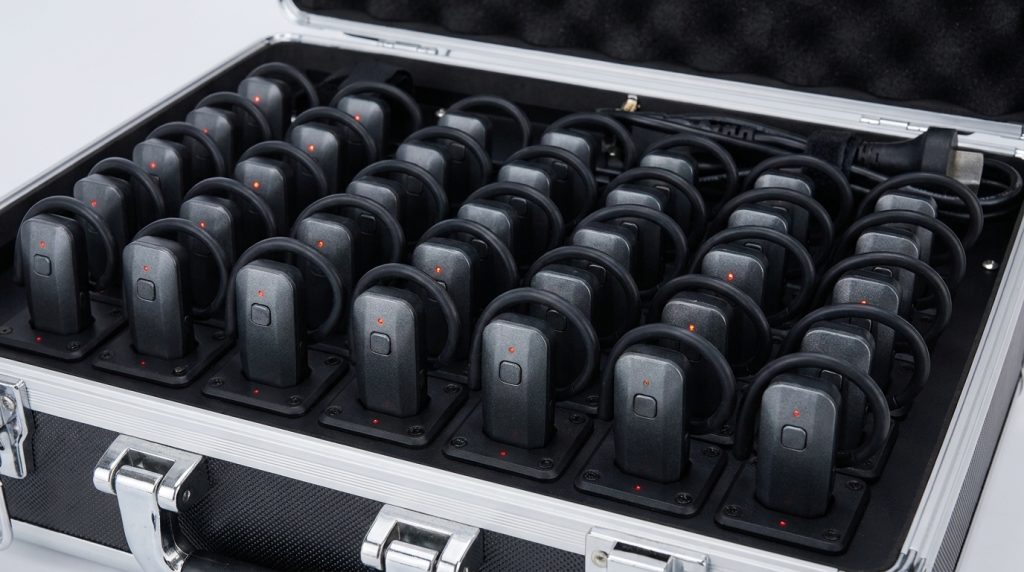
It’s easy to under-order receivers by focusing only on “how many visitors per tour” and forgetting spares. Build your count around:
- Peak group size (not average)
- A buffer of 10–15% for units charging, in repair, or lost
- Whether you’ll run simultaneous multilingual tours, which multiplies the receiver need per group
Oversizing slightly at the outset is almost always cheaper than a second small-batch order later at higher per-unit shipping cost.
4. Check Battery Life Against Your Actual Tour Length — Transmitter and Receiver Separately
Transmitter (guide-side) and receiver (visitor-side) batteries often have different runtimes, and both matter. A transmitter with strong battery life is wasted if the receivers visitors are holding die halfway through a two-hour tour.
Ask for the rated hours of each unit under continuous use, not standby, and compare that against your longest realistic tour duration — including any pre-tour staging time when devices are already powered on.
5. Test for Noise and Interference in Crowded, Real Conditions
Anti-interference performance is one of the hardest specs to judge from a datasheet, because it only becomes obvious once you’re running a system in a busy exhibition hall with dozens of other wireless devices nearby (Wi-Fi routers, other tour groups, security radios).
If possible, request a sample unit and test it in your actual venue during a normal operating day — not a quiet showroom. This single step catches more real-world problems than any spec comparison.

6. Weigh Comfort and Durability for All-Day Use
Guides wear transmitters for full shifts; visitors handle receivers for the length of the tour. Consider:
- Weight and clip/lanyard design for the guide’s comfort over multiple daily tours
- Ruggedness for receivers handled by hundreds of different visitors per week — drop resistance, casing durability
- Ease of cleaning, especially relevant for venues doing frequent unit turnover between groups
7. Confirm OEM/ODM Flexibility if You Need Custom Branding or Features
If your organization wants custom branding, specific frequency configurations, or accessory bundling (charging cases, lanyards, multi-language preloading), confirm early whether the manufacturer offers OEM/ODM services — and get clarity on minimum order quantities and lead times for customized runs versus stock units.
8. Verify Certifications and Manufacturing Transparency
For procurement teams, especially in the public and cultural sector, certification matters for both compliance and long-term reliability. At minimum, ask for:
- ISO9001 (quality management)
- CE certification (for EU markets)
- RoHS compliance (restricted hazardous substances)
Also ask whether the company manufactures in-house or resells third-party hardware — in-house production (from SMT lines through final assembly) generally means faster custom-order turnaround and more consistent quality control batch to batch.

9. Ask About After-Sales Support and Spare Parts Availability
A tour guide system is a long-term operational tool, not a one-time purchase. Before ordering, confirm:
- Warranty length and what it covers
- Availability of spare parts (chargers, cases, individual receivers) for replacement without reordering a full set
- Average response time for technical support, especially important if your organization is outside the manufacturer’s home country
10. Get a Total Cost Picture, Not Just a Unit Price
Compare quotes on total cost of ownership: unit price, charging infrastructure (docks, cases), shipping, customs/duties if importing, and the cost of future spare units. A slightly higher unit price from a supplier with better after-sales support and spare parts availability often costs less over a multi-year deployment than the cheapest quote.
Frequently Asked Questions
How many wireless tour guide receivers should I order for a group of 30?
Order for your peak group size plus a 10–15% buffer for charging rotation and unit downtime — for a regular group of 30, that typically means ordering closer to 35 units rather than exactly 30.
What’s the difference between UHF and 2.4GHz tour guide systems?
UHF systems generally handle multi-room and indoor environments with more walls better, while 2.4GHz systems are often preferred for outdoor or open-space tours where longer line-of-sight range is the priority.
Do I need a custom OEM tour guide system, or is a stock system enough?
If your organization needs specific branding, accessory bundles, or a particular frequency configuration for regulatory reasons, OEM/ODM is worth exploring. If you just need a reliable off-the-shelf solution, a stock system is usually faster to deploy and lower cost.
How long should a wireless tour guide system last before replacement?
With proper care and manufacturer support for spare parts, well-built systems are typically used for several years of regular operation before a full replacement is needed — individual components like batteries may need periodic replacement sooner.